



SEQ32 + MPS3
$74.00
Normally you will receive keyfile within 24 hours after payment.
If you don't receive it, please contact us.
And please check your spam folder before sending message.
*Please try demo version before purchase.
Description
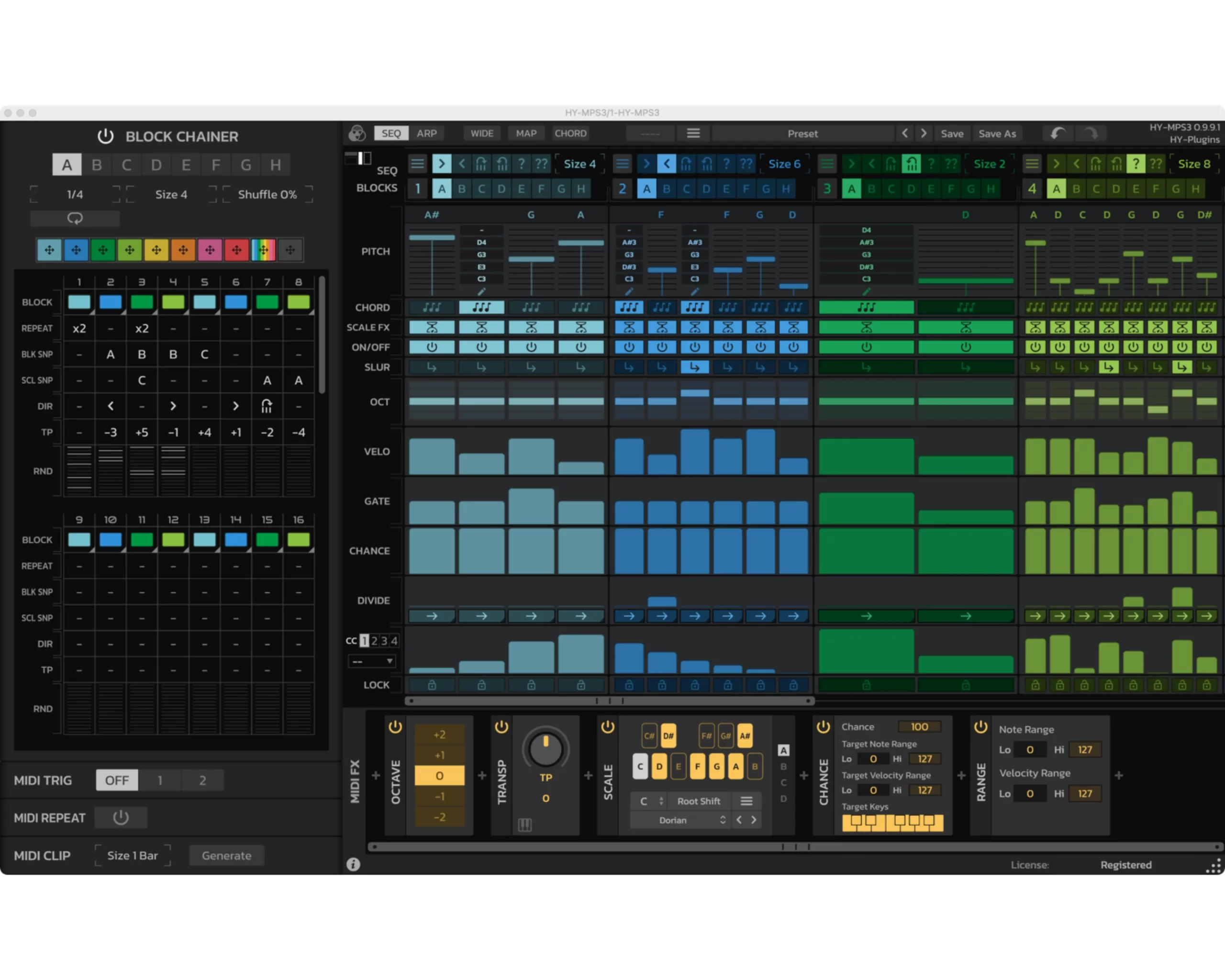
Bundle of HY-SEQ32 and HY-MPS2
HY-SEQ32
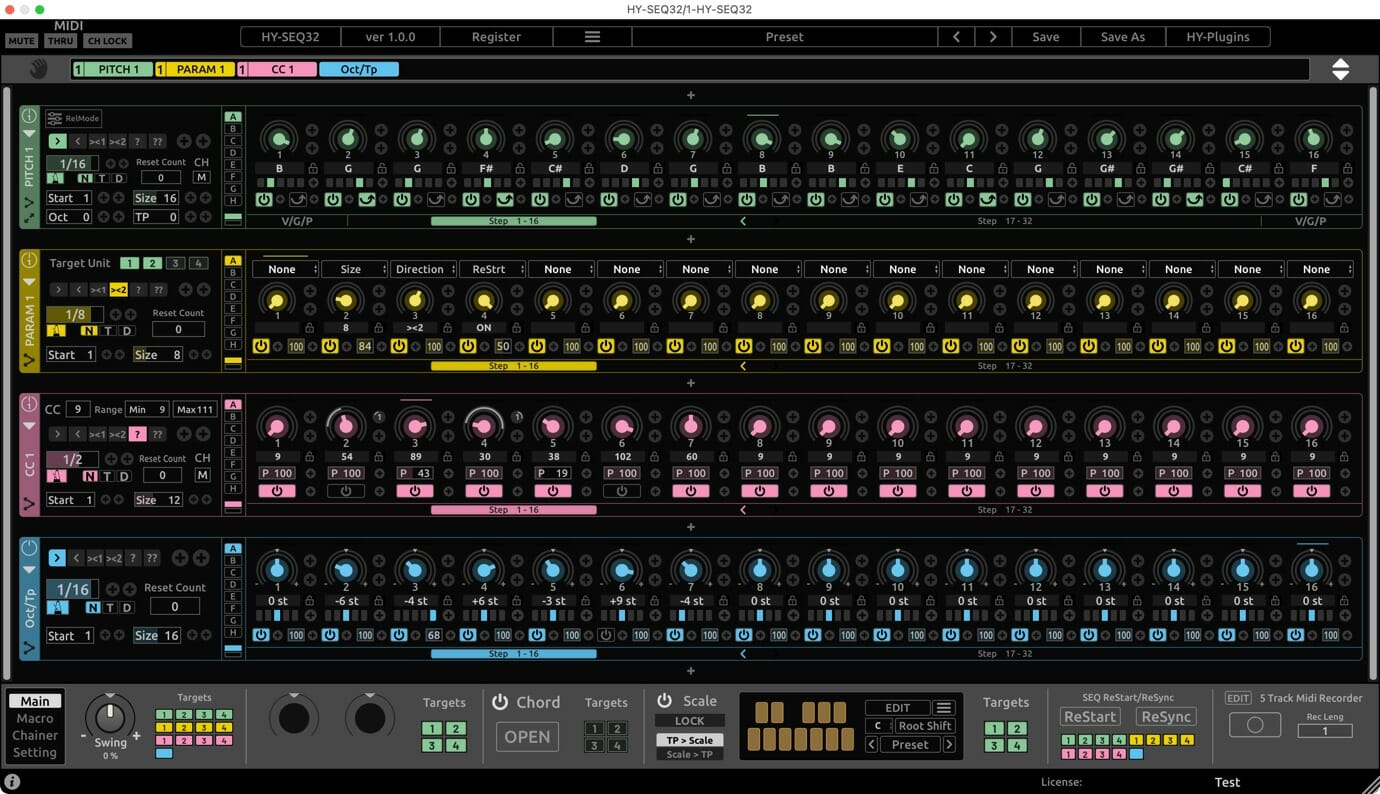
32 step sequencer inspired by analog sequencers
Main Features
- 5 modules available(Pitch SEQ, Param SEQ, CC SEQ, Oct/Tp SEQ and CC Rack)
- 8 dedicated modulation controls per unit
- Drag & drop modulation assignment
- 8 Macro knobs
- 8 snapshots per unit
- Pattern sequencer for chaining unit snapshots
- Chord and Scale FX
- 5 track Midi Recorder
- Resizable interface
HY-MPS2
Block based step sequencer
Main Features
- 2 main mode (Sequencer and Arpeggiator)
- 8 step sequencer blocks
- Chord notes output
- 9 Midi FX modules
- Midi clip generator
- UI color edit
Requires
Mac : macOS 10.14 or higher
*doesn't work with GarageBand and Propellerhead Reason
Download
Windows(VST2/VST3)
Mac(VST2/VST3/AUv3)
Download HY-MPS3 (Installer)
DAW Setup
Ableton
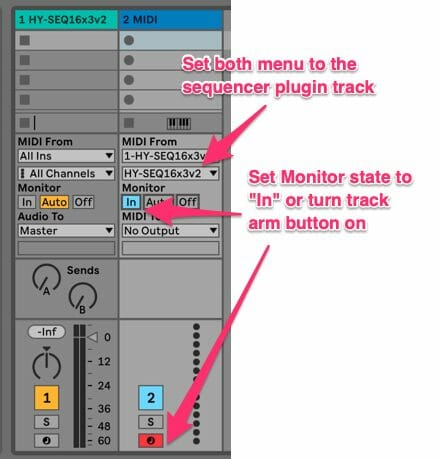
- Load the HY sequencer plugin as an instrument
- Add another midi track
- Set Midi From menus to the sequencer track
- Turn track arm button on or set monitor state “In” for receiving midi out from the sequencer track
- Press the play button of a host DAW
Bitwig
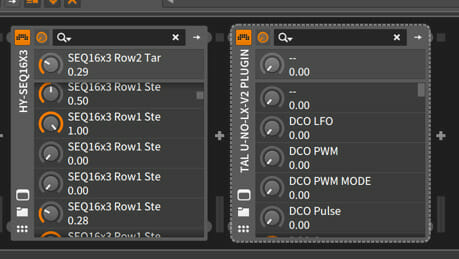
- Load the Hy Sequencer as an instrument.
- Load the target instrument plugin after it in the chain.
- Press the play button of a host DAW
REAPER
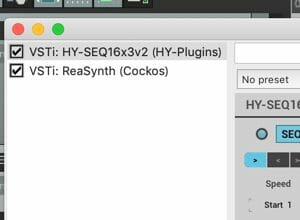

- Load the HY Sequencer plugin as an instrument.
- Insert the target instrument after it in the chain.
- Press the play button of a host DAW
Studio One
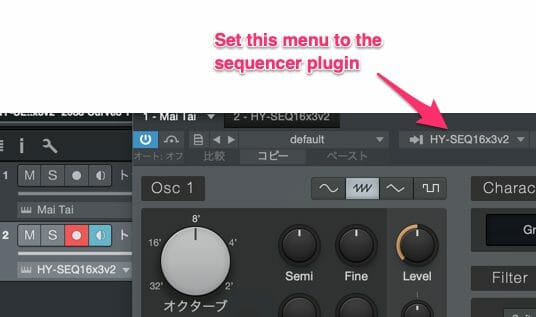
- Add an instrument track and load the HY Sequencer.
- Add another instrument track and load the target instrument.
- Open the target plugin’s editor panel and set it to mirror the settings in the above image.
- Press the play button of a host DAW
Cubase
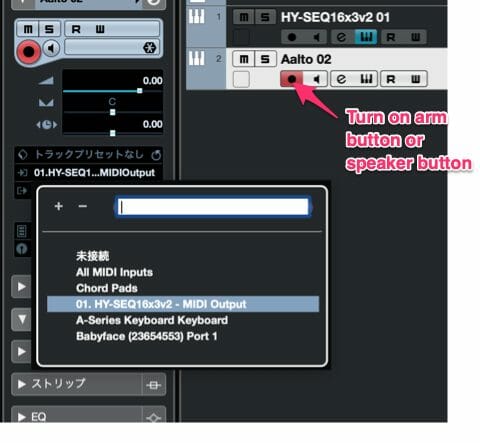
- Add an instrument track and load the plugin.
- Add another instrument track and load the target plugin.
- Set the midi input menu of the target plugin to the HY Sequencer output.
- Turn on monitor buttonor speaker button.
- Press the play button of a host DAW
- *If you use Asio-Guard, and its level is high, please lower the level to normal or lower.
Cakewalk
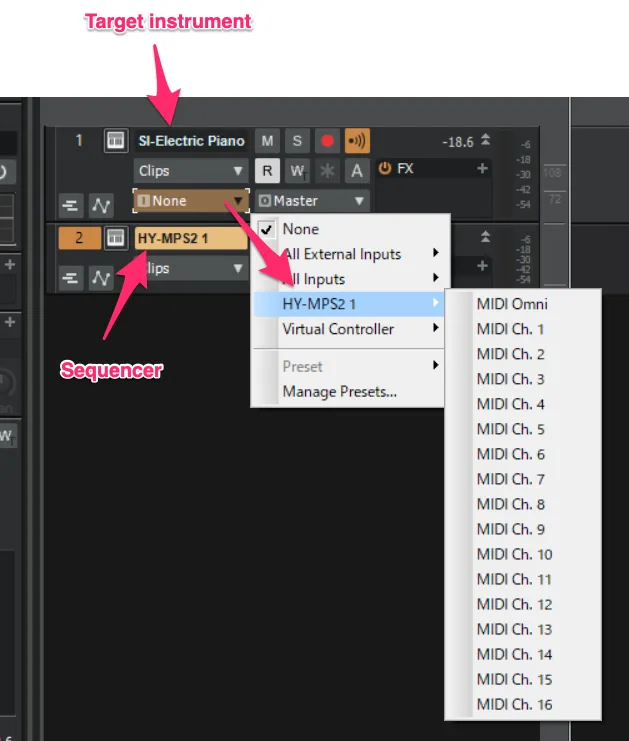
- Add instrument track and load sequencer plugin
- Add another instrument track and load your instrument
- Open Midi input source menu of the target instrument track and select the sequencer plugin as a input source
FL Studio

- Load the HY Sequencer plugin as an instrument.
- Load a target instrument.
- Set Midi Output Port of the HY Sequencer plugin and MIDIInput Port of the target plugin to the same number.
- Press the play button of a host DAW
Trackion
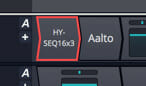
- Load the HY Sequencer plugin.
- Insert the target instrument plugin after it in the chain.
- Press the play button of the host a DAW
Logic
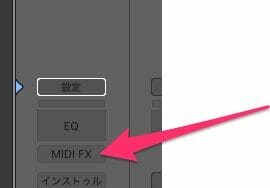
- Load the HY Sequencer plugin as a Midi FX.
- Load a target instrument
- Press the play button of a host DAW
Release Notes
v1.0